Writing and Printing
Filename
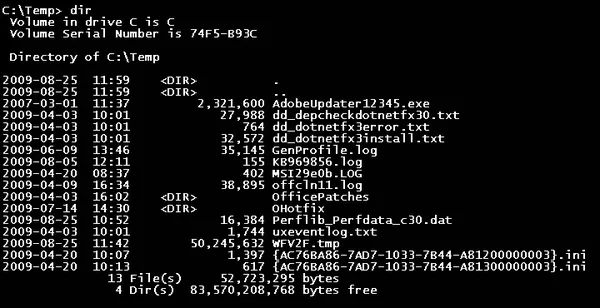
A filename is used to uniquely identify a computer file in a file system. Different file systems impose different restrictions on filename lengths. A filename may (depending on the file system) include: name – base name of the file extension – may indicate the format of the file (e.g. .txt for plain text, .pdf for Portable Document Format, .dat for unspecified binary data, etc.) The components required to identify a file by utilities and applications varies across operating systems, as does the syntax and format for a valid filename. The characters allowed in filenames depend on the file system. The letters A–Z and digits 0–9 are allowed by most file systems; many file systems support additional characters, such as the letters a–z, special characters, and other printable characters such as accented letters, symbols in non-Roman alphabets, and symbols in non-alphabetic scripts. Some file systems allow even unprintable characters, including Bell, Null, Return and Linefeed, to be part of a filename, although most utilities do not handle them well. Filenames may include things like a revision or generation number of the file, a numerical sequence number (widely used by digital cameras through the DCF standard), a date and time (widely used by smartphone camera software and for screenshots), or a comment such as the name of a subject or a location or any other text to help identify the file. Some people use the term filename when referring to a complete specification of device, subdirectories and filename such as the Windows C:\Program Files\Microsoft Games\Chess\Chess.exe. The filename in this case is Chess.exe. Some utilities have settings to suppress the extension as with MS Windows Explorer.
Also on this shelf
Hastings Tribune.
Aden.
See also
Uncatalogued shelfText from Wikipedia; plate via Wikimedia Commons. Text CC BY-SA 4.0; plate freely licensed (see Commons). Source record. Images and catalogue data are reproduced from open-access collections.